The Problem
Your thinking happens everywhere
In meetings. On calls. Between tasks. In conversations. In the five seconds when someone says something that changes your entire direction.
The problem isn't that we don't have enough tools to record information.
The problem is that we still have to remember to use them.
The Shift
From capture to presence
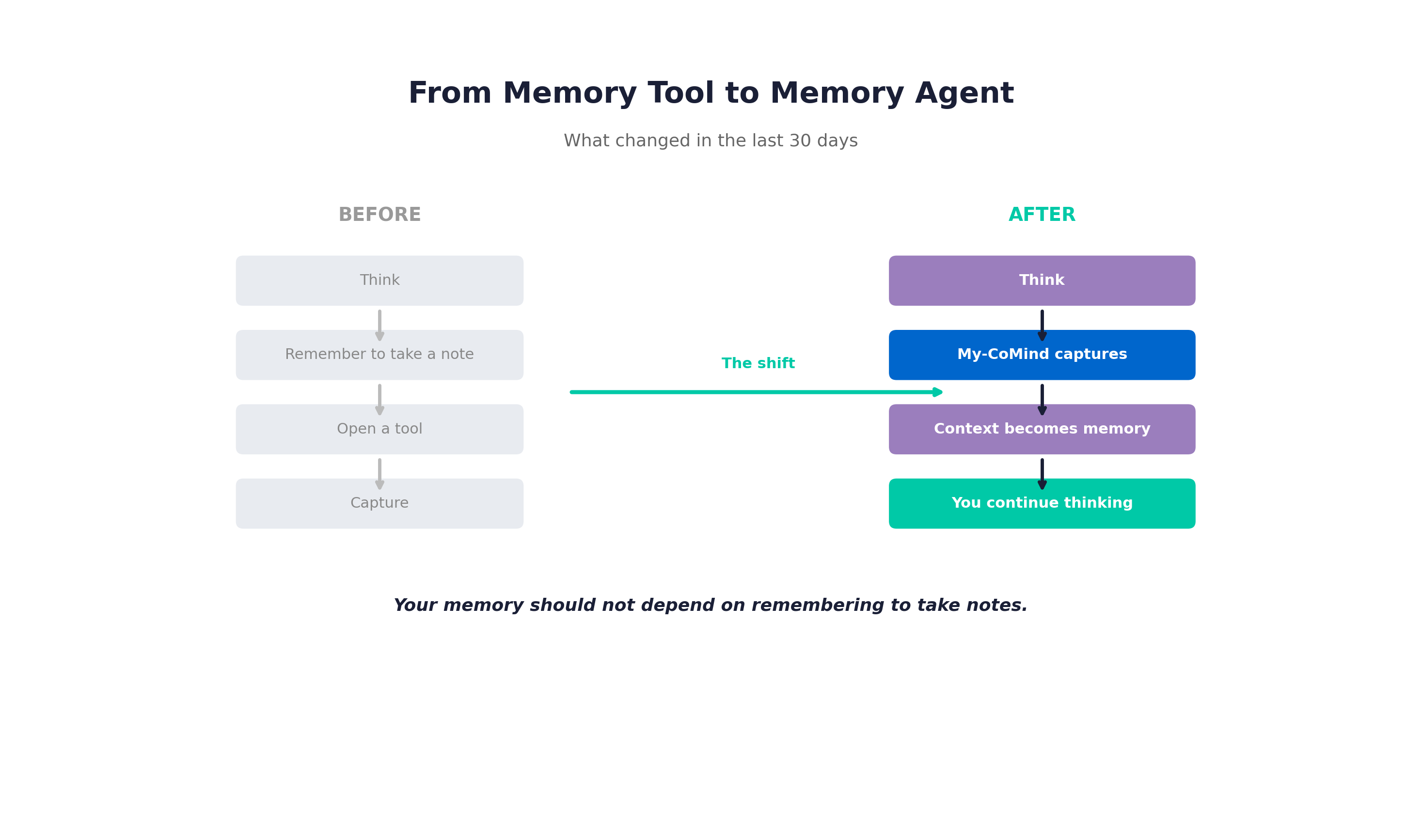
My-CoMind is moving from something you open to something that stays with your thinking.
Before
Think
↓
Remember to take a note
↓
Open a tool
↓
Capture
After
Think
↓
My-CoMind captures
↓
Context becomes memory
↓
You continue thinking
Feature
Live Meeting Capture
Live Meeting Capture now processes conversations while they're happening — not after you upload a recording.
- Records meetings, calls, classes, or thinking out loud
- Captures the call's own audio — other participants included
- Decisions, action items and open questions extracted as you go
- One recording becomes one memory — never a pile of fragments
- Screen/system audio recorded alongside the microphone and flagged on the session
The capture page was rebuilt around a live session: start, pause, stop, segment progress, running item list, and the resulting memory linked directly from the workspace.
You don't wait for the meeting to end. You watch decisions appear while the conversation is still running.
Feature
Your memory shouldn't live in a browser tab
My-CoMind now has a presence on your desktop.
The Windows Desktop Agent is a tray application that:
- Pairs on first run with your account via a secure pairing code
- Detects meeting activity passively — reads device roles and audio activity, never enumerates processes
- Records microphone + system audio together, with acoustic echo cancellation through the Windows Voice Capture DSP
- Offers to capture when it notices you're in a call
- Takes a quick note on Ctrl+Shift+M — a global hotkey that captures a note without opening a window
- Cancels its own echo — recording with speakers no longer records the call back into itself
Instead of opening a browser every time something important happens, the Desktop Agent stays available while you work. When a meeting starts, it recognizes the activity and offers to capture it.
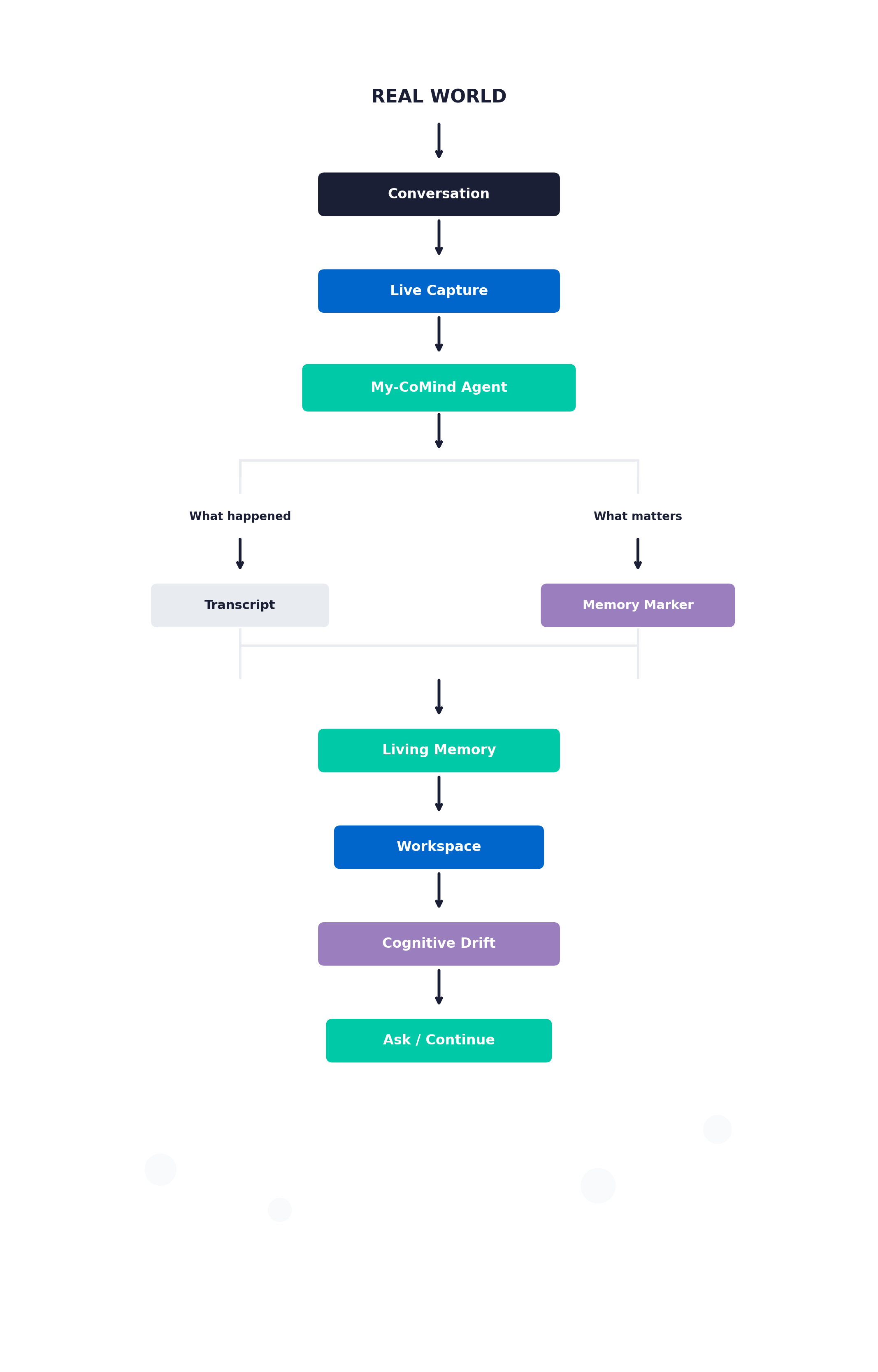
The complete memory pipeline: from conversation to continuity
Feature
"My-CoMind, remember that…"
Not every moment in a conversation deserves equal weight.
Sometimes you don't want to record something separately. You simply want to tell your future self:
Remember this.
During any capture, you can simply say:
"My-CoMind, remember that Maria owns the migration plan."
The system detects this semantically — never a string match, because the assistant's name comes back transcribed as "My comment", "M.Y. Cummings" or "MyCommand" depending on the model. A cheap regex gate keeps ordinary segments free, and semantic detection handles the rest.
That moment becomes an explicit memory marker inside the conversation.
Not another note. Not another transcript. A marker saying: This matters. Don't lose it.
Markers are stored per memory, shown above Key Items on a memory and across a workspace's memories, each removable — always visible, never hover-only.
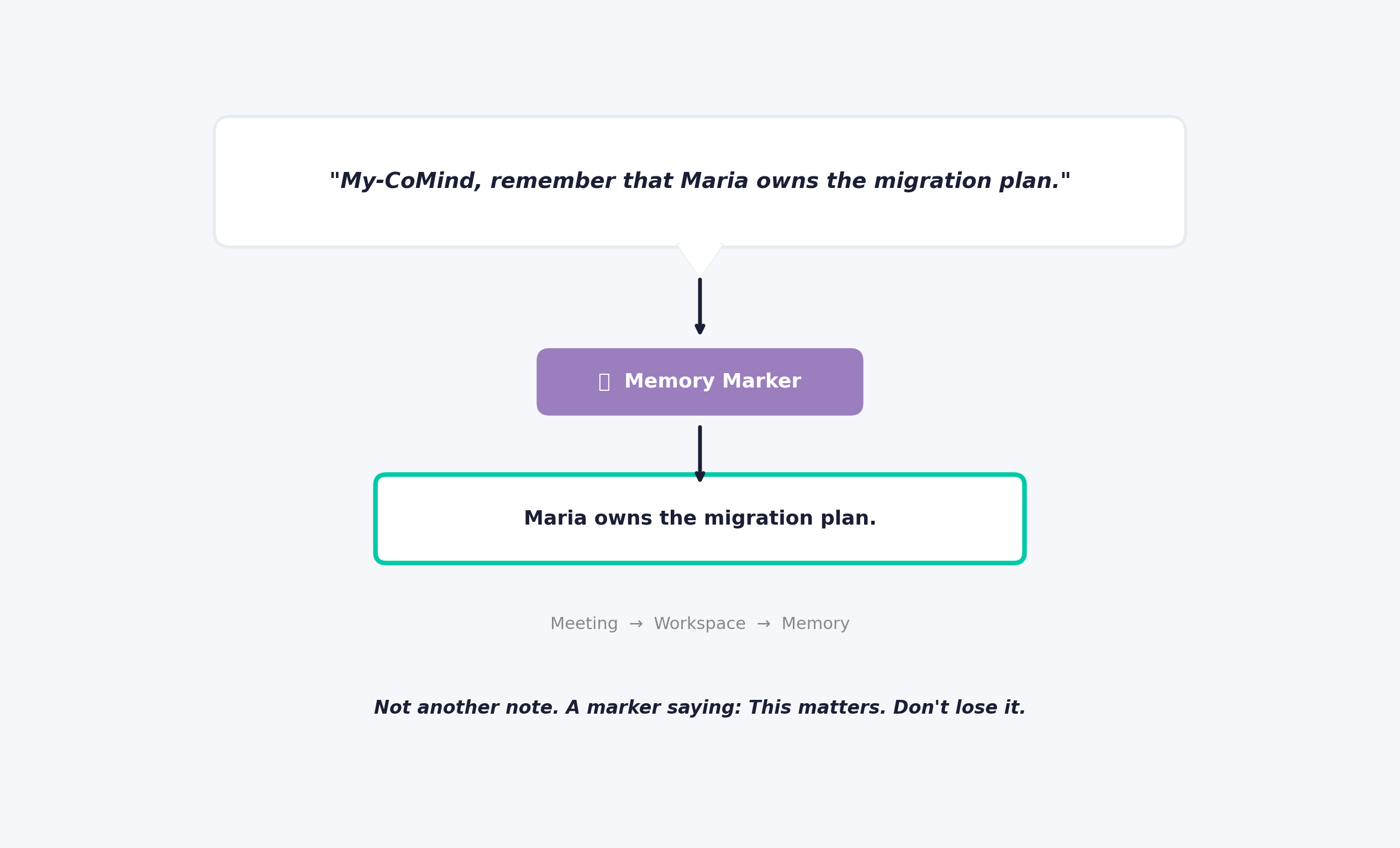
From spoken words to persistent memory marker
Feature
Memory isn't enough. You need continuity.
A transcript tells you what happened.
A memory tells you what you kept.
Continuity tells you how the thinking evolved.
Cognitive Drift asks a workspace or an organization project what shifted since you last looked, instead of re-reading it.
- Each shift shown as before → after, with the real dates
- How long a position actually held
- Descriptive, never a judgement or a score
- Ends with a question worth discussing, not a verdict
- Available on every plan, including free — gated by credits, not by tier
Personal workspace drift is free and incremental, with a full recompute every 10th update. Organization/project drift runs as a projection over shared memories, with its own prompt and schema.
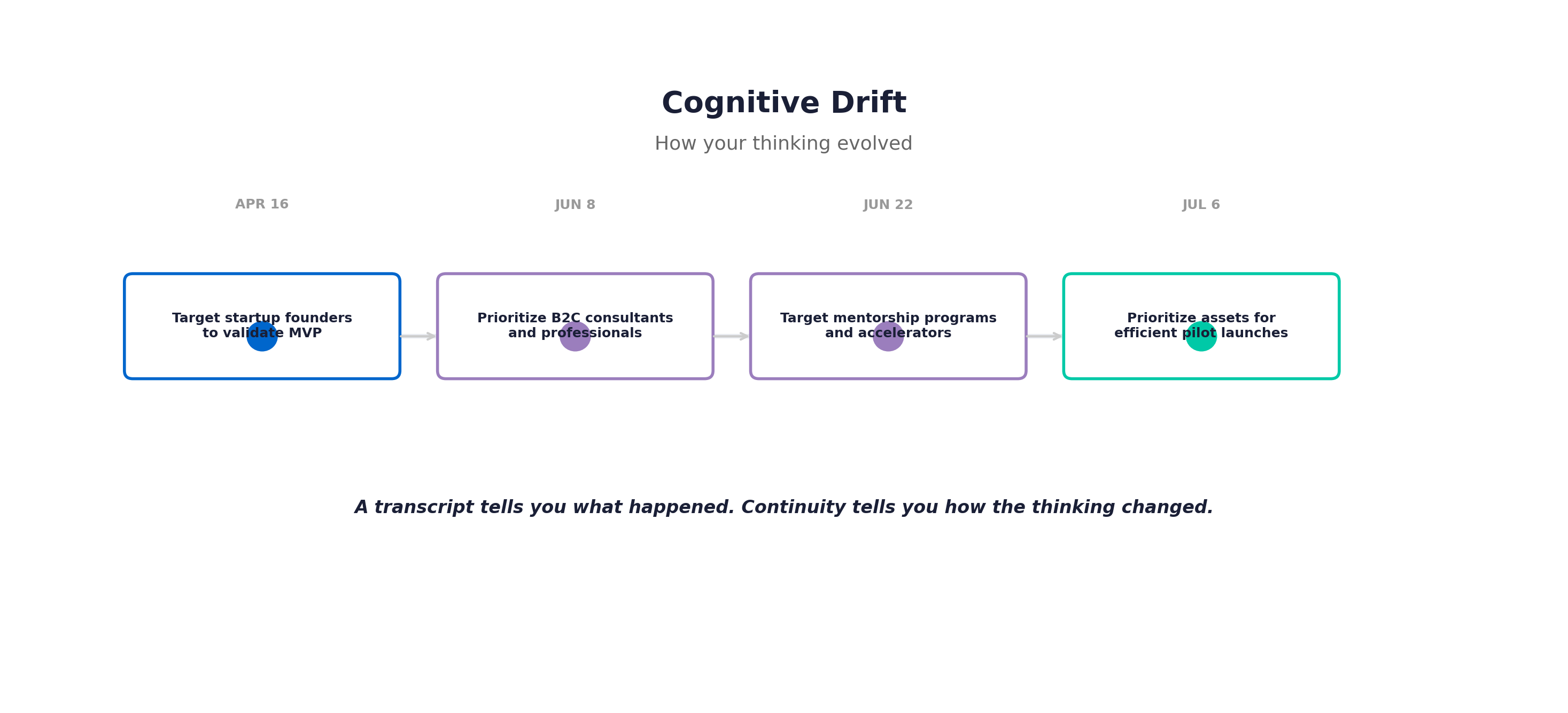
A transcript tells you what happened. Continuity tells you how the thinking changed.
The Ecosystem
One source. One memory. One workspace.
My-CoMind isn't trying to create more information. It's trying to preserve context.
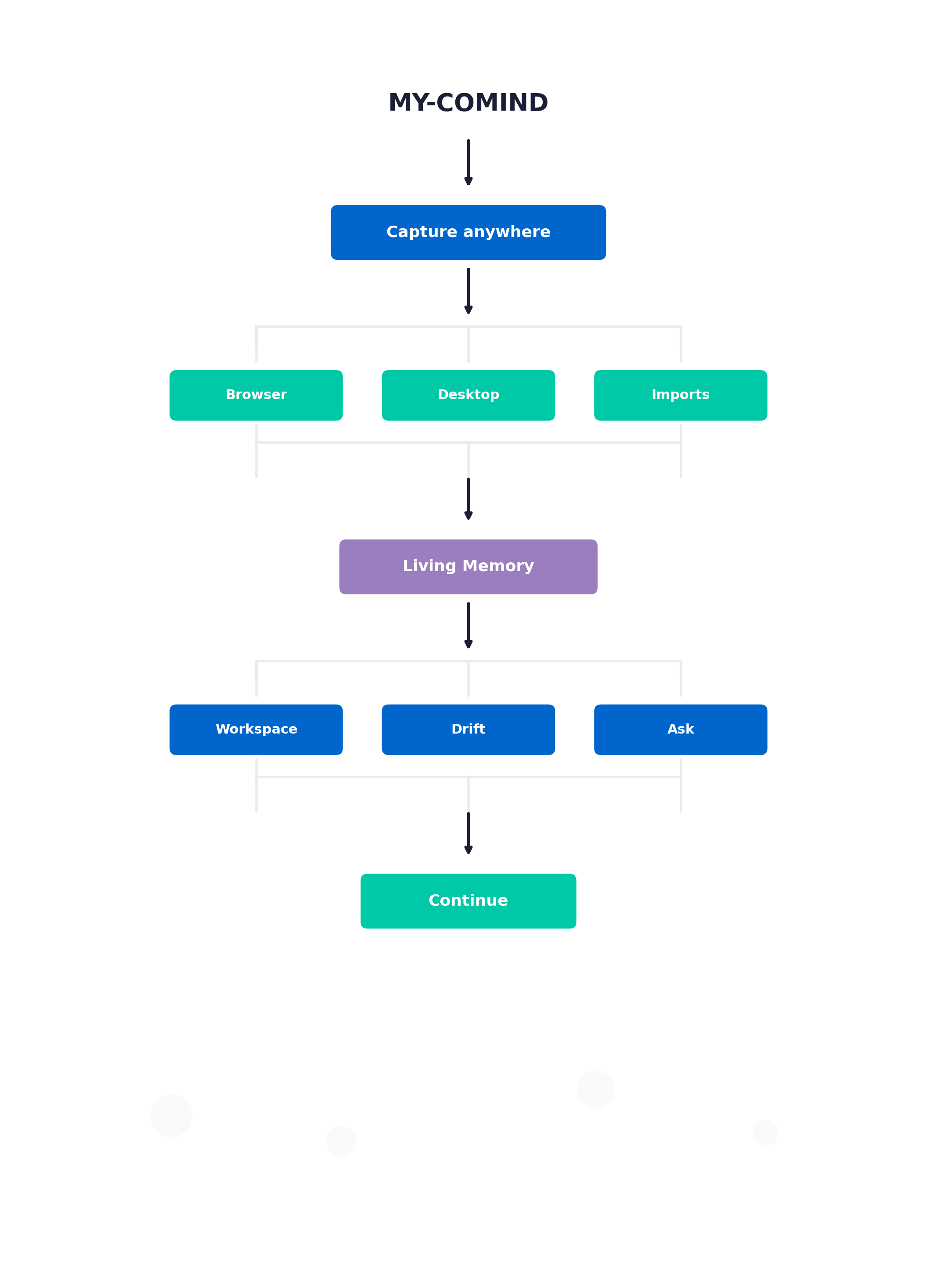
The recorder is not the product. The recorder is a doorway.
What matters is what happens after: the workspace that stays current, the drift that shows how thinking changed, the questions you can ask and get answers grounded in your own material.
Also Shipped
The rest of the release
Beyond the headline features, here's what else landed in My-CoMind 1.1.0:
Sharing & Reports
Workspace public share: token link valid for 7 days over a frozen snapshot, zero credit cost. Organization-wide share scope, alongside team and project. Print-CSS report view that becomes a PDF straight from the browser.
Organization View
Memory Continuity grouped by project: one AI call per read, cached, with its own prompt. Remove and restore a shared memory from a project (admin or author) — the personal memory is never touched.
Plans & Credits
Two plans instead of four: every paid slug maps to the same full-access tier with unlimited organizations. One-time Stripe Checkout for credit add-on purchases. Admin dashboard controls for plan grants and credit adjustments.
Fireflies Import
Imports now carry the full transcript and go through the same pipeline as a direct capture. The import window is chosen and previewed instead of a hardcoded 90 days. 1 credit per approved import.
Language
Everything generated follows your language — summaries, narratives, syntheses, and chat answers. The interface stays in English; your content doesn't have to. Language selector in Security Settings.
Retention Email Program
Six opt-in jobs — agenda reminder, weekly summary, re-engagement, rediscovery, knowledge gap, companion digest. All defaulting to off. CASL-compliant footer on every outbound email through Resend.
Security
revokeAllDevices() wired into both password paths, including reset. Device tokens separate from web sessions and individually revocable. Changing a password reports how many devices it signed out.